AI image tools for practical creative work
Free AI Image Tools for Everyday Photos
Edit, transform, and create images online with simple AI-powered tools. Image AI Box is starting with a focused set of lightweight tools, with more practical image workflows coming soon.
No complex software. No heavy workflow. Just simple image tools built around everyday creative tasks.
What is Image AI Box?
Image AI Box is a growing toolbox of focused AI image tools. Instead of building one complex editor, each tool is designed for a clear task: turning a photo into a sketch, previewing wall colors, creating coloring pages, converting images into vector-style graphics, or removing backgrounds.
Explore AI Image Tool Categories
Image AI Box will grow around practical image workflows, from creative transformations to everyday editing and design utilities.
Creative Tools
For turning images into sketches, coloring pages, illustrations, and visual ideas.
Photo Editing Tools
For simple online image cleanup and transformation tasks.
Design Tools
For creators and small businesses who need quick visual assets.
Home & Visual Preview Tools
For practical preview workflows before making real-world decisions.
Start with a focused set of useful image tools
Image AI Box launches with lightweight tool pages that explain what each AI image workflow will do, who it helps, and what is coming next.
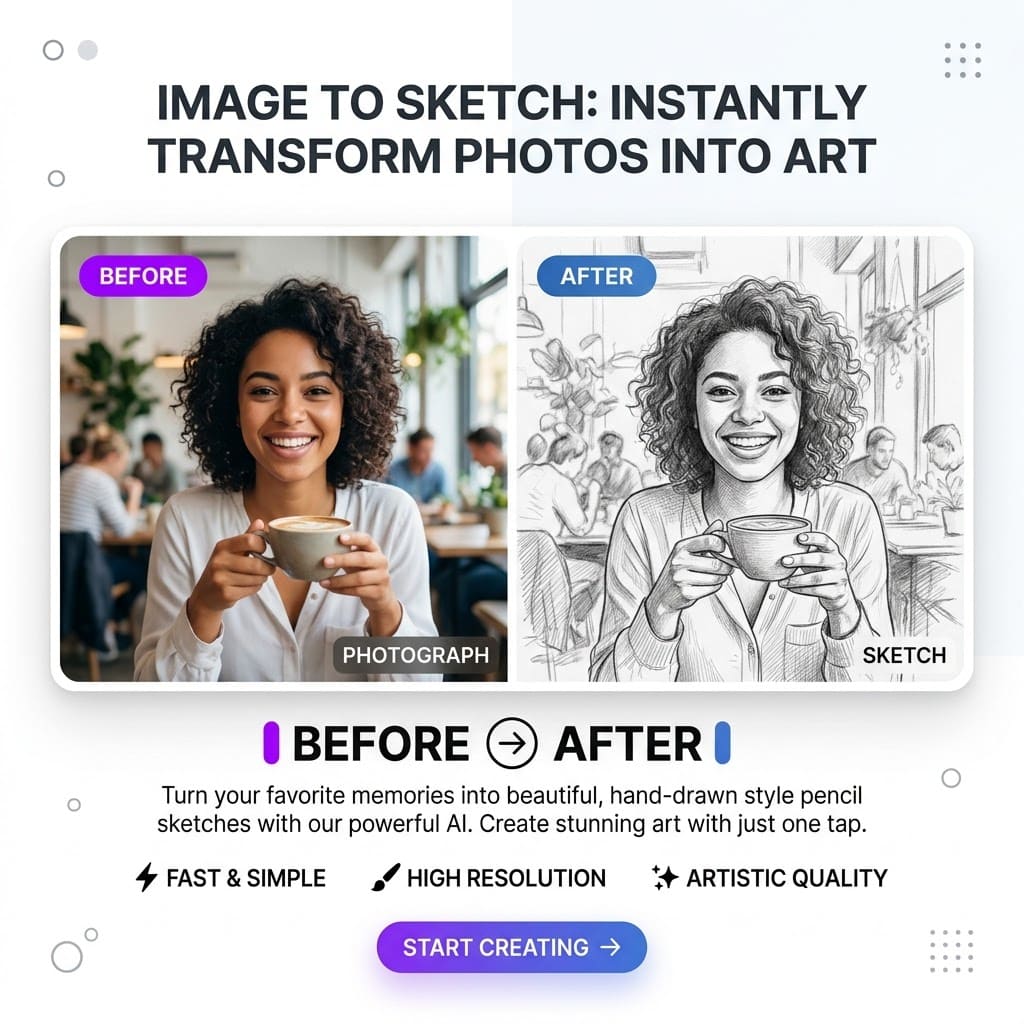
Image to Sketch
Turn your photos into clean sketch-style images with AI.
Who it helps
Creative projects
Planned use
Profile pictures
View Tool
Wall Color Changer
Preview different wall colors in your room photo before repainting.
Who it helps
Home renovation planning
Planned use
Interior design mockups
View Tool
Photo to Coloring Page
Convert photos into printable coloring pages for kids, teachers, and creators.
Who it helps
Classroom activities
Planned use
Family projects
View Tool
Image to SVG
Convert images into clean vector-style graphics for design projects.
Who it helps
Icons
Planned use
Simple illustrations
View Tool
AI Background Remover
Remove image backgrounds and create transparent cutouts online.
Who it helps
Profile photos
Planned use
Product images
View Tool
Built for everyday image workflows
Image AI Box is designed for practical creative tasks that should not require complicated design software.
For creators
Create quick visuals, profile images, sketches, and content assets.
For students and teachers
Generate printable activities, visual references, and lightweight classroom materials.
For small business owners
Prepare simple product visuals, remove backgrounds, and test creative image ideas.
For home projects
Preview wall colors and visual changes before making real-world decisions.
For designers and marketers
Create quick drafts, visual references, and supporting image assets.
Example workflow previews
These previews help explain what each tool is designed to do.
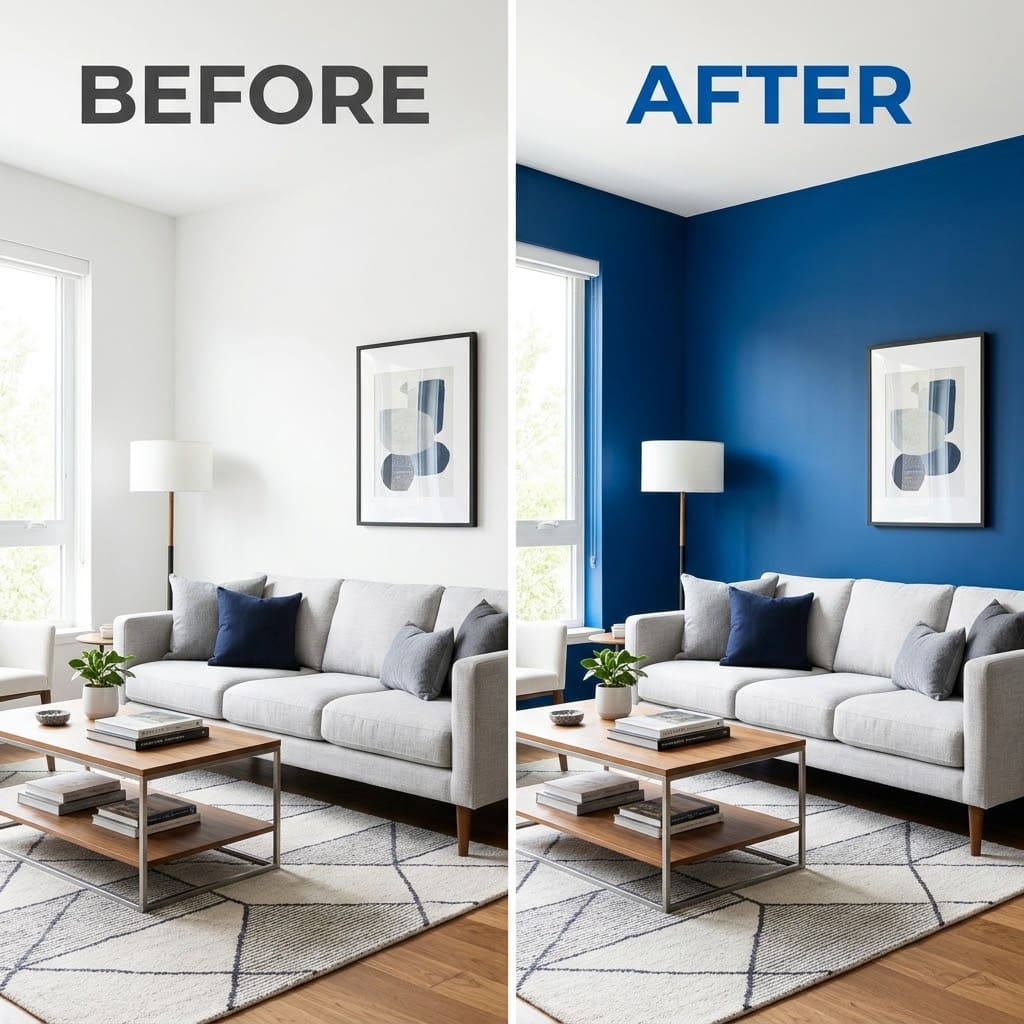
Wall Color Changer
Preview different wall colors in your room photo before repainting.
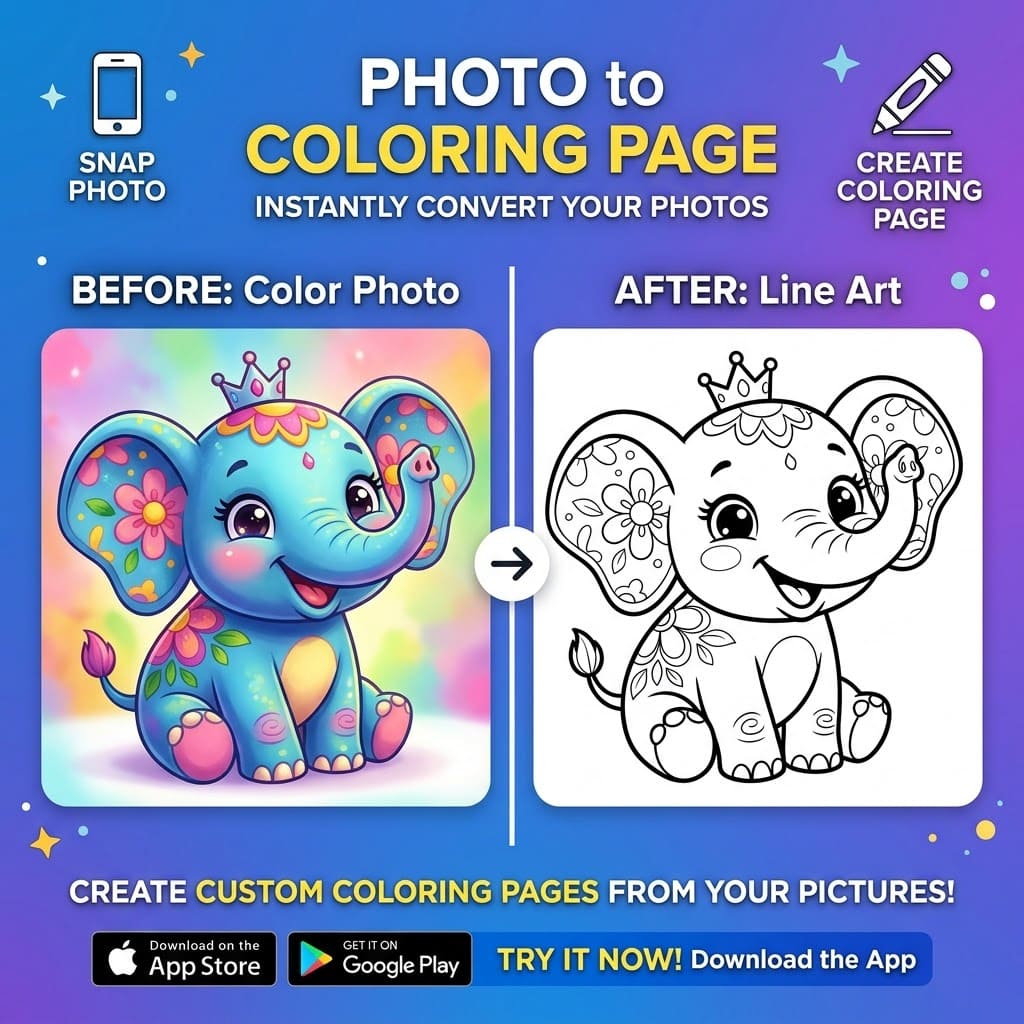
Photo to Coloring Page
Convert photos into printable coloring pages for kids, teachers, and creators.
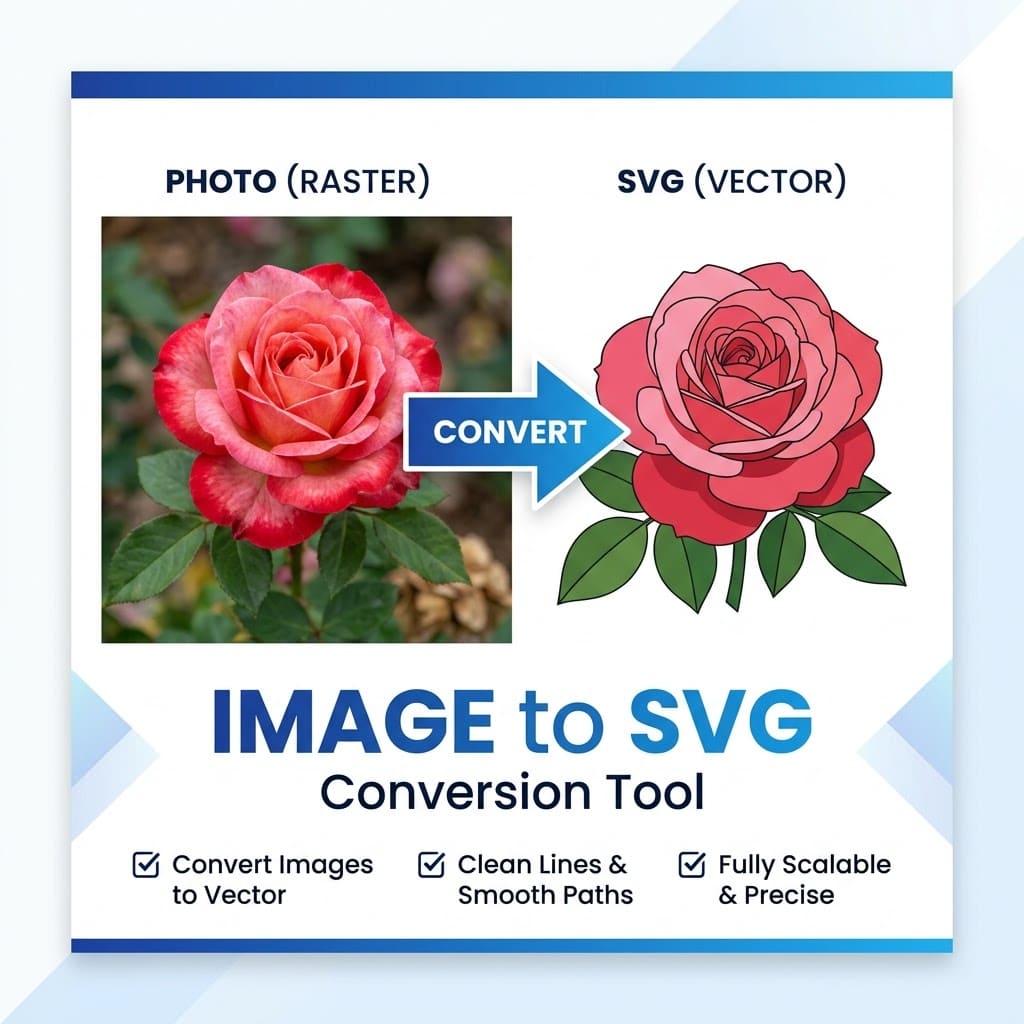
Image to SVG
Convert images into clean vector-style graphics for design projects.
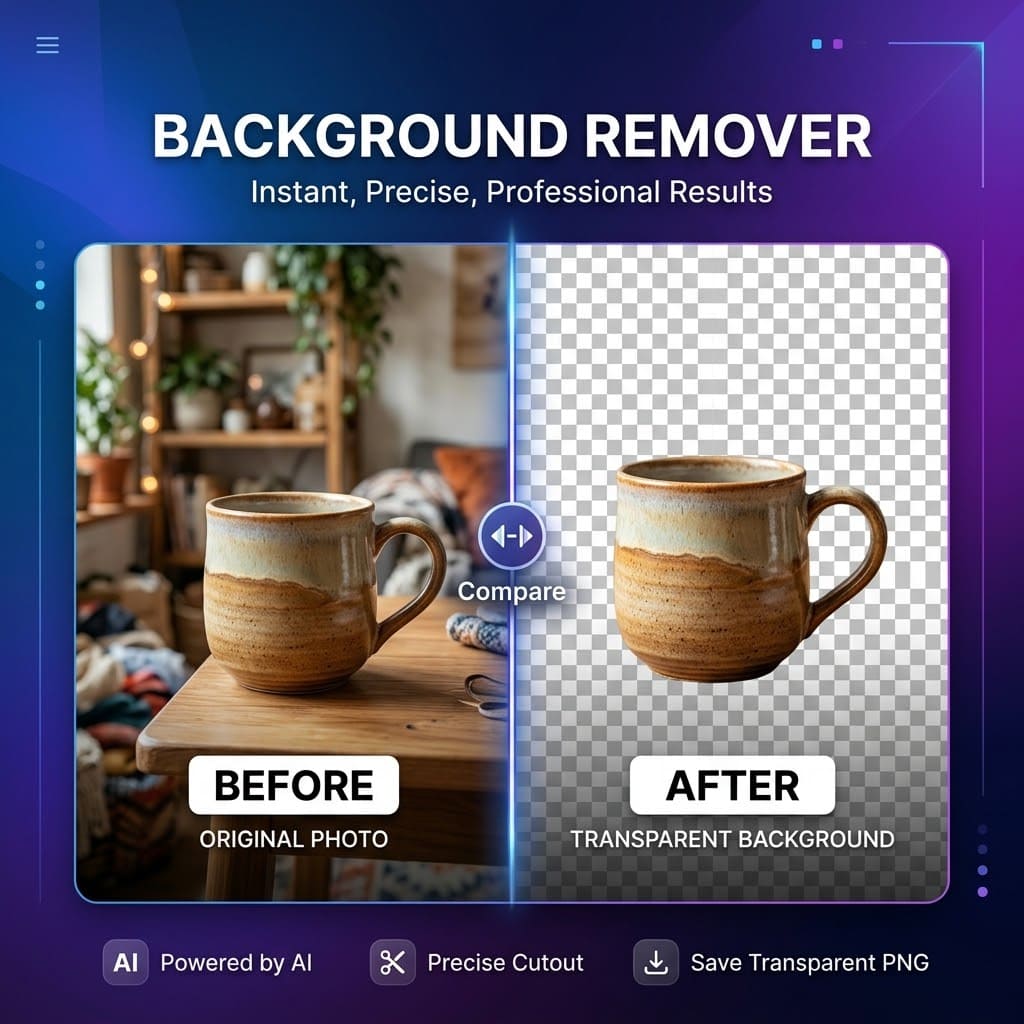
AI Background Remover
Remove image backgrounds and create transparent cutouts online.
How It Works
Choose a tool
Upload your image
Generate a preview
Download or save your result
Image AI Box is designed to keep image editing simple. Choose a tool, upload your image, and let AI help you create a result in seconds.
Image AI Box is designed to keep image editing simple. Each tool focuses on one clear task, so users can get started without learning a complex editor.
Why focused tools?
Many image platforms try to do everything in one large editor. Image AI Box takes a different approach: small tools, clear use cases, and simple workflows. This makes it easier for users to find the right tool, understand what it does, and get a result quickly.
Image AI Box is currently in early access
Image AI Box is being built step by step. Some tools may be available as beta features, while others are listed as coming soon. We are launching early so we can test which tools are most useful, improve the workflow, and prioritize new features based on user feedback.
What we are building next
The roadmap is intentionally focused on practical image workflows instead of a single all-purpose editor.
Share feedback or request a tool
Early access works best when users tell us what is useful, what is missing, and which workflows they need next.
Frequently Asked Questions
What is Image AI Box?
Image AI Box is a collection of simple AI-powered image tools for editing, transforming, and creating images online.
Are the tools free?
Some tools may be free to try. In the future, advanced features such as high-resolution downloads, batch processing, or cleaner export options may require credits or a paid plan.
Do I need to create an account?
Some basic tools may be available without an account. Features such as saved history, credits, or advanced tools may require an account later.
What image tools are available?
We are starting with image to sketch, wall color changer, photo to coloring page, image to SVG, and background remover. More tools will be added over time.
Can I use the results commercially?
Usage rights may depend on the tool and the images you upload. Only use images you own or have permission to process.
How can I contact support?
You can contact us through the Contact page or by email at baihong6@gmail.com.